Plugging in Ethernet doesn’t automatically turn off your wireless radios. Your laptop may still broadcast WiFi and Bluetooth signals even while wired.
The cable only changes how the laptop gets its data. The radios are still there, still powered, and still ready to take over if the cable drops out. Turning them off is a second step that is easy to skip.
Get our complete guide with room-by-room strategies and product recommendations.
Why a cable does not switch the radios off
Operating systems treat a wired link as an additional connection, not a replacement. Wi-Fi stays joined to its network as a fallback, and Bluetooth stays on for any headphones, mouse or phone that might connect. Both radios can keep sending short signals while you sit there with a cable plugged in.
Plugging in a cable does not switch the wireless radios off
Remove or switch it off
The most reliable fix: wire it, schedule it off, or choose a model without the radio.
Move it away
Fields from a device fall off quickly with distance, so the nightstand beats the pillow.
Block the path
Only for what you cannot remove or move; it must cover the path fully to work.
Measure before and after
Use a meter that reads the field type the change targets, so you know it worked.
Switch the radios off yourself.
The usual order of fixes: source first, shielding last.
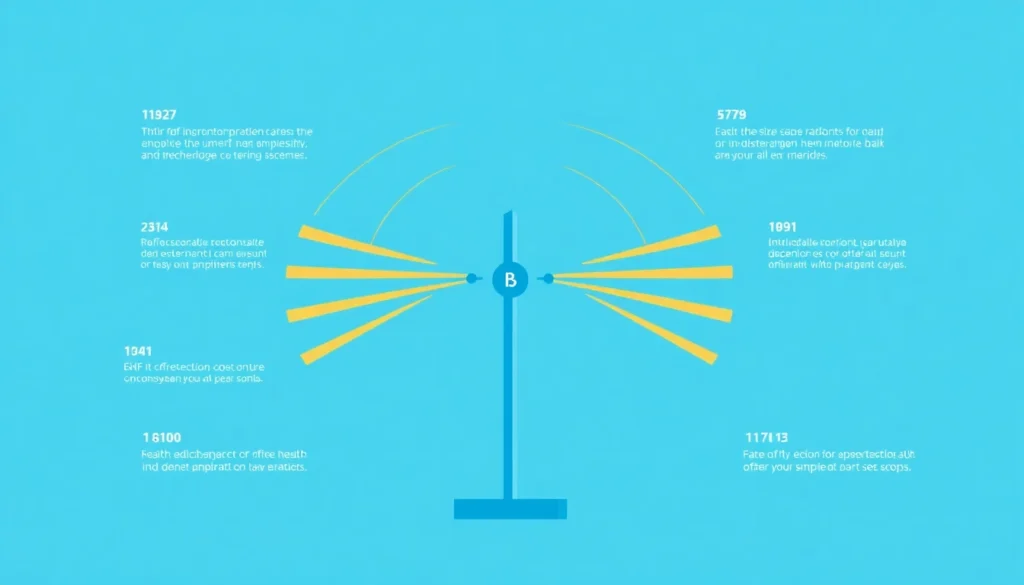
Chart: frequencyblockers.com: Plugging in a cable does not switch the wireless radios off
Embed this chart
Free to reuse on your site. Copy the code below; please keep the credit link.
Off at the system level is different from merely not in use. A radio that is powered down has no transmitter running, so nothing is sent regardless of what the software is doing in the background.
Turning them off, step by step
- On Windows, open the quick settings panel and switch off Wi-Fi and Bluetooth separately, or open the network settings and disable the wireless adapter there.
- On a Mac, use the Wi-Fi and Bluetooth icons in the menu bar, or the matching panes in system settings, and switch each one off.
- Check that your wired connection is working before you turn Wi-Fi off, so you are not left with nothing.
- On Windows, airplane mode usually switches off Wi-Fi and Bluetooth together while a wired connection keeps working. A shortcut to it makes the whole routine a single click.
A wired keyboard and mouse pair well with this tip, since a Bluetooth keyboard or mouse stops working as soon as Bluetooth goes off.
Checking the radios are really off
Look at the settings first: the toggles should read off, and the connected devices list should be empty. For a physical check, hold an RF meter next to the laptop with the radios on and again with them off. A broadband RF detector shows the difference as a drop in the reading; the room’s other networks and phones set a baseline you will not remove.
Cat7 Shielded Ethernet Cable
With the laptop on a cable, Wi-Fi and Bluetooth have nothing left to do. Turn both off, then check the connection still works.
How much this matters
How much this matters is unsettled: measurements of residential wireless devices found they raise exposure noticeably mainly when they transmit more than 10% of the time and are used close to the body, and reviews of blinded studies have found no robust evidence that these fields trigger symptoms in people who report sensitivity [8][4].
The practical rule is simple. If you are wired, there is no reason for a radio to be on, and turning it off costs nothing. If you need Wi-Fi again later, switching it back on takes a click.
The International Agency for Research on Cancer (IARC) has classified radiofrequency electromagnetic fields as “possibly carcinogenic to humans,” a rating based on limited human evidence for glioma in wireless phone users. The US National Cancer Institute says the evidence to date suggests cell phone use does not cause brain or other kinds of cancer, and a WHO-commissioned meta-analysis found no association between ever or regular mobile phone use and glioma (pooled relative risk 1.01). Precautions are a personal choice, not a response to a demonstrated harm [1][2][3].

Ready for More EMF Protection Tips?
Our complete guide includes 100 actionable strategies for every room in your home, plus product recommendations from our curated collection.
Frequently Asked Questions
Why does my WiFi stay on when I’m using an Ethernet cable?
Plugging in Ethernet doesn’t automatically disable your wireless radios. Your laptop or device will continue broadcasting WiFi and Bluetooth signals even while connected to a wired network unless you manually turn them off in your settings. This means you’re still exposed to electromagnetic fields from these wireless signals despite using a hardwired connection.
How do I disable WiFi and Bluetooth when using Ethernet on my devices?
You can disable WiFi and Bluetooth through your device’s settings menu or network preferences, typically found in your system settings or control panel. Most laptops and computers allow you to toggle these wireless radios on and off individually, so you can keep them disabled while you’re using your Ethernet connection. For maximum effectiveness, disable both radios immediately after connecting to your wired network.
What are the health benefits of reducing EMF exposure at home?
Turning off wireless radios you are not using reduces how long your laptop transmits. Reviews of blinded provocation studies found no robust evidence that these fields trigger symptoms, so this is a precaution rather than a proven health fix [4][5]. For people who report sensitivity to EMF, blinded provocation studies found they could not tell real exposure from sham, and symptoms tracked belief that the source was on. Limiting unnecessary wireless signals is a personal precaution [6][7]. This approach addresses the root cause of exposure rather than simply treating symptoms.

Can I use Ethernet and WiFi at the same time if I disable the wireless radio?
Yes, when you disable your WiFi and Bluetooth radios while using Ethernet, your device will continue to function on the wired connection without any issues. Your internet speed and reliability may actually improve since your device won’t be managing multiple wireless connections simultaneously. This is a simple way to reduce EMF exposure while maintaining full connectivity to your network.
References
- International Agency for Research on Cancer IARC classifies radiofrequency electromagnetic fields as possibly carcinogenic to humans (Press release 208). International Agency for Research on Cancer (2011). source
- US National Cancer Institute Cell Phones and Cancer Risk. US National Cancer Institute (current). source
- Karipidis K et al. The effect of exposure to radiofrequency fields on cancer risk in the general and working population: A systematic review of human observational studies – Part I: Most researched outcomes. Environment international (2024). PMID 39241333
- Rubin GJ et al. Idiopathic environmental intolerance attributed to electromagnetic fields (formerly 'electromagnetic hypersensitivity'): An updated systematic review of provocation studies. Bioelectromagnetics (2010). PMID 19681059
- Kristina Schmiedchen et al. Methodological limitations in experimental studies on symptom development in individuals with idiopathic environmental intolerance attributed to electromagnetic fields (IEI-EMF): a systematic review. Environmental Health (2019). PMID 31640707
- Rubin GJ et al. Electromagnetic hypersensitivity: a systematic review of provocation studies. Psychosomatic medicine (2005). PMID 15784787
- Eltiti S et al. Symptom Presentation in Idiopathic Environmental Intolerance With Attribution to Electromagnetic Fields: Evidence for a Nocebo Effect Based on Data Re-Analyzed From Two Previous Provocation Studies. Frontiers in psychology (2018). PMID 30210397
- Aerts S et al. Emissions From Smart Meters and Other Residential Radiofrequency Sources. Health physics (2019). PMID 30883437
These statements have not been evaluated by the Food and Drug Administration. This information is not intended to diagnose, treat, cure, or prevent any disease. Content is for informational purposes only and is not medical advice; consult a qualified healthcare provider before starting any supplement. As an Amazon Associate we earn from qualifying purchases.