A car cabin is a metal box, and car Bluetooth puts another radio inside it. Connected phones keep transmitting, the metal body reflects signals, and a phone may run at higher cellular power when moving in a car [1].
Get our complete guide with room-by-room strategies and product recommendations.
Why a car is a poor place for extra radios
Inside a metal shell, signals bounce rather than pass cleanly through, so the radio environment is less predictable than in a room. Your phone is the strongest source in the cabin, and the Bluetooth link adds a second, much weaker transmission between the phone and the car.
Use a cable for car audio and switch the radio off
Remove or switch it off
The most reliable fix: wire it, schedule it off, or choose a model without the radio.
Move it away
Fields from a device fall off quickly with distance, so the nightstand beats the pillow.
Block the path
Only for what you cannot remove or move; it must cover the path fully to work.
Measure before and after
Use a meter that reads the field type the change targets, so you know it worked.
A wire replaces the radio link.
The usual order of fixes: source first, shielding last.
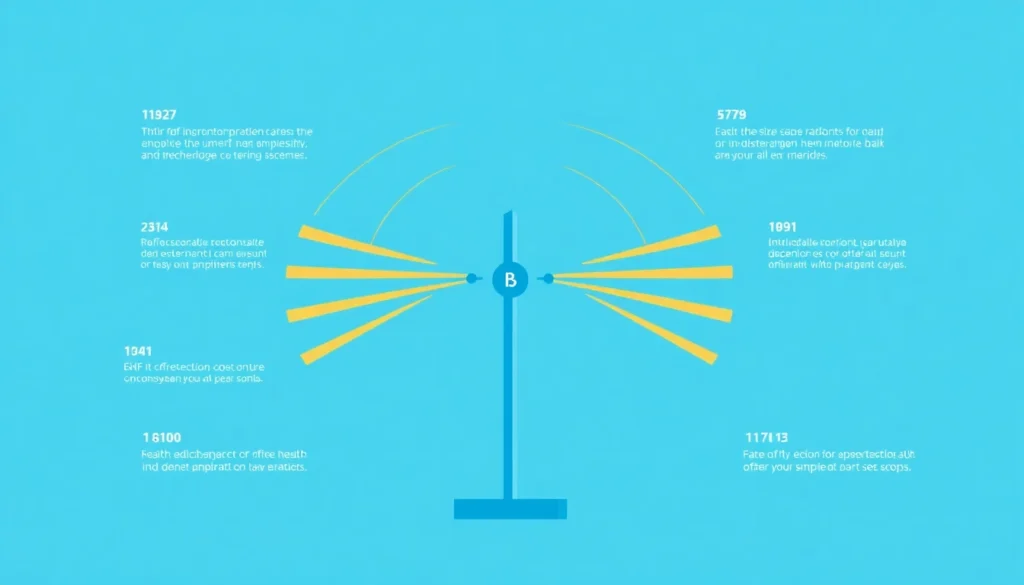
Chart: frequencyblockers.com: Use a cable for car audio and switch the radio off
Embed this chart
Free to reuse on your site. Copy the code below; please keep the credit link.
Research note: Measured from hand-held phones, GSM uplink produced the highest field levels (up to 11 V/m) and UMTS uplink the lowest (up to 2 V/m) [6].
The note above shows that the field from a hand-held phone depends heavily on the network it is using. The phone’s own cellular link is the part with the most variation, so this tip works best when paired with a habit of keeping the phone away from your body.
Switching to a cable
Many new cars push Bluetooth as the primary connection. Resist it. The AUX jack or USB port avoids the Bluetooth radio [2].
- Plug your phone into the auxiliary jack or a USB port for audio and navigation, then turn Bluetooth off on both the phone and the car system.
- If the car pairs automatically, remove the phone from the paired list or turn the car’s Bluetooth setting off so it stops searching.
- Mount the phone in a cradle on the dash instead of carrying it in a pocket or a lap, so that distance from your body is greater.
- For long drives, download maps and music ahead of time and put the phone in airplane mode. With no cellular link, there is nothing to boost as the car moves between towers.
Auxiliary Audio Cable 3.5mm
If the car has an aux input, this cable plays audio from the phone without Bluetooth. Keep the phone in a mount, not in your hand.
View ProductA cable also gives more stable audio, since there is no pairing to drop. The tradeoff is hands-on convenience: you must plug in each time, and you may lose hands-free calling unless your car supports it over USB.
How to see the difference with a meter
Use an RF meter, because Bluetooth and cellular signals are both radio. Hold the meter at the driver’s seat position with the car parked, the phone connected over Bluetooth and audio playing. Note the reading. Then switch to the cable with Bluetooth off and compare.
Expect a small change from Bluetooth alone, since the link is low power, and a larger one if you also switch the phone to airplane mode. Seeing both numbers tells you which step matters most in your own car.
What the research says
The IARC rating of radiofrequency fields rested on limited evidence about brain cancer risk. A later WHO-commissioned meta-analysis found that ever or regular mobile phone use was not associated with glioma risk (pooled relative risk 1.01, confidence interval 0.89-1.13), and the US National Cancer Institute says the evidence to date suggests cell phone use does not cause brain or other kinds of cancer in humans [3][4][5].
Nothing in that evidence makes a Bluetooth car system dangerous, so treat this tip as a low-effort reduction rather than a fix for a known problem. The comparison of Faraday bags and airplane mode goes further on the phone side.
Ready for More EMF Protection Tips?
Our complete guide includes 100 actionable strategies for every room in your home, plus product recommendations from our curated collection.
Get the Complete GuideFrequently Asked Questions
Why is Bluetooth in my car creating more EMF exposure than other devices?
Your car’s metal cabin reflects RF signals from your phone, and a phone may run at higher cellular power when moving in a car. In lab tests of Bluetooth smart-home devices run at high activity, fields were typically much less than 1% of safety limits, so the Bluetooth link itself is a small part of the picture [1][2].
What happens to my phone’s signal when Bluetooth is enabled in a metal car?
Your phone continuously broadcasts to maintain the Bluetooth connection, and the metal body of your vehicle reflects these signals. Whether that raises exposure inside the cabin is not shown by the evidence reviewed here [1].
Is disabling Bluetooth in my car a practical solution for EMF-sensitive people?
Yes, disabling Bluetooth is one of the simplest and most effective strategies you can implement today to reduce EMF exposure while driving. Turning off Bluetooth stops that link, but the phone cellular radio keeps transmitting while you drive, so it trims one small source rather than eliminating RF in the cabin [2][1].
How does the SHIELD principle help protect me from car Bluetooth EMF?
The SHIELD principle focuses on addressing the root cause of EMF exposure rather than treating symptoms. By disabling Bluetooth, you’re applying this principle by eliminating the RF source itself, making your vehicle a safer environment for you and your family during daily drives.
References
- ICNIRP (International Commission for Non-Ionizing Radiation Protection) Standing Committee on Epidemiology: et al. Epidemiology of Health Effects of Radiofrequency Exposure. Environmental Health Perspectives (2004). PMID 15579422
- McKenzie RJ et al. Assessment of radio frequency fields in the 2.45 GHz band produced by smart home devices. Bioelectromagnetics (2024). PMID 38014861
- Mireille B. Toledano et al. Cohort profile: UK COSMOS, a UK cohort for study of environment and health. International Journal of Epidemiology (2015). PMID 26534947
- Karipidis K et al. The effect of exposure to radiofrequency fields on cancer risk in the general and working population: A systematic review of human observational studies – Part I: Most researched outcomes. Environment international (2024). PMID 39241333
- US National Cancer Institute Cell Phones and Cancer Risk. US National Cancer Institute (current). source
- Aerts S et al. Emissions From Smart Meters and Other Residential Radiofrequency Sources. Health physics (2019). PMID 30883437
These statements have not been evaluated by the Food and Drug Administration. This information is not intended to diagnose, treat, cure, or prevent any disease. Content is for informational purposes only and is not medical advice; consult a qualified healthcare provider before starting any supplement. As an Amazon Associate we earn from qualifying purchases.