A wireless keyboard and mouse are small radio transmitters that sit within reach of your hands for hours at a time. Swapping them for cables takes those transmitters off the desk entirely, which leaves the computer’s own radios and the router as the only sources nearby.
Wireless keyboards, mice, speakers, and webcams all emit RF radiation. How much each wireless device adds depends on how often it transmits: some residential wireless devices raise exposure noticeably only if they transmit more than 10% of the time, especially when held or used close to the body [1].
Get our complete guide with room-by-room strategies and product recommendations.
What a wired desk takes away
A wireless mouse reports every movement over the air, a wireless keyboard reports every keystroke, and a webcam or speaker streams audio and video the same way. Each one needs a radio chip, a battery or a dongle, and a link to the computer. A wired version sends the same signals down a cable, so the radio, and the radio emissions, disappear.
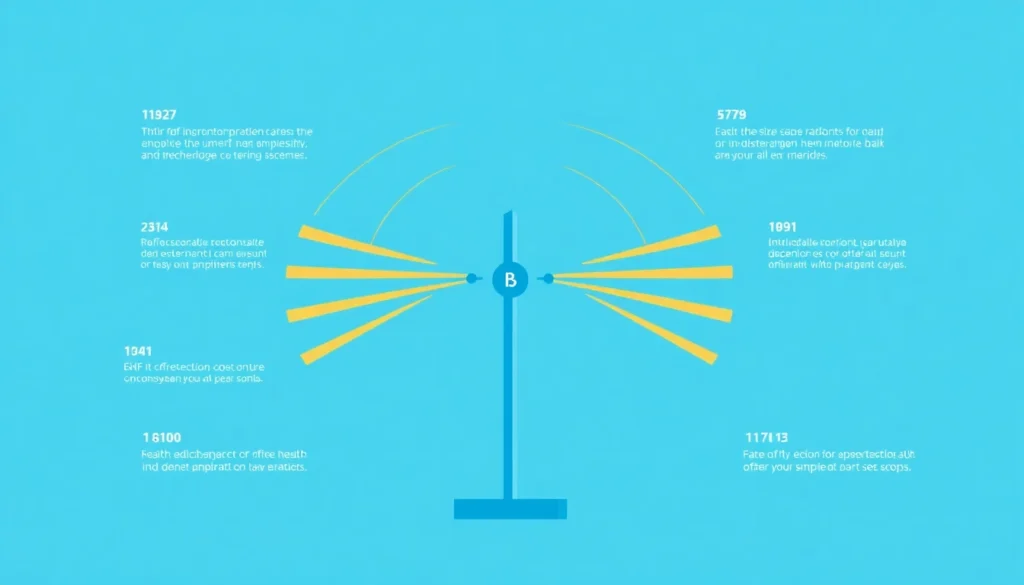
Wired peripherals take several small radios off the desk
Remove or switch it off
The most reliable fix: wire it, schedule it off, or choose a model without the radio.
Move it away
Fields from a device fall off quickly with distance, so the nightstand beats the pillow.
Block the path
Only for what you cannot remove or move; it must cover the path fully to work.
Measure before and after
Use a meter that reads the field type the change targets, so you know it worked.
Replace each radio you can with a cable.
The usual order of fixes: source first, shielding last.
Chart: frequencyblockers.com: Wired peripherals take several small radios off the desk
Embed this chart
Free to reuse on your site. Copy the code below; please keep the credit link.
The study “Wi-Fi is an important threat to human health” is one argument for precaution. In a Belgian survey the average total radiofrequency electric field was 0.1 V/m in homes and 0.2 V/m in schools [3].
The point of that comparison is scale. Indoor radio levels are usually low to begin with, so this tip is about trimming the sources closest to your body, not about fixing a high-exposure room.
Switching a desk over, piece by piece
- Start with the keyboard and mouse, since they are the closest to your hands and the easiest to replace with USB models.
- Move the webcam, headset and speakers to cable connections. A wired headset or a speaker on an audio cable removes a radio link you may use all day.
- Connect the printer by USB or Ethernet cable where you can, and turn off its wireless setting afterwards so it stops looking for a network.
- Once everything is wired, switch off Bluetooth in the computer’s settings. Otherwise the laptop keeps its own radio active for devices that are no longer there.
A laptop has few ports, which is the usual reason people stay wireless. A powered USB hub fixes that: it sits on the desk, every cable plugs into it, and a single cable runs back to the laptop.
Checking that the desk got quieter
An RF meter is the right tool here, because the wireless peripherals are radio sources. Hold it at the spot where your hands and chest sit when you work. Take one reading with the wireless devices running, then another after they are unplugged and removed, keeping the router, phone and every other device in exactly the same state.
Expect the difference to be modest. Keyboards and mice transmit in short bursts, and the router and your phone usually dominate the reading. A meter that shows both peak and average values will tell you more than one that shows only a single number.
Research note: Predictive software built from measured devices estimated that one device of each of 23 smart-home categories, all near maximum, would give 0.17% of the ICNIRP 2020 public limits at 1 m [7].
Powered USB Hub
A powered hub gives you the ports to run every desk device on a cable, so the keyboard, mouse and drives do not need wireless.
What this does not change
Cables do not touch the router, your phone, a laptop’s built-in Wi-Fi or any neighbor’s signal. They also do nothing about the low-frequency fields from the power adapter and mains cords behind the desk. The change is narrow and cheap, and it is worth doing for exactly that reason.
The International Agency for Research on Cancer’s possibly-carcinogenic rating for radiofrequency fields rested on limited evidence about brain cancer risk. A later WHO-commissioned meta-analysis found that ever or regular mobile phone use was not associated with glioma risk (pooled relative risk 1.01, confidence interval 0.89-1.13), and the US National Cancer Institute says the evidence to date suggests cell phone use does not cause brain or other kinds of cancer [4][5][6].
Ready for More EMF Protection Tips?
Our complete guide includes 100 actionable strategies for every room in your home, plus product recommendations from our curated collection.
Frequently Asked Questions
Do wireless keyboards and mice really emit harmful radiation?
They emit RF radiation when they transmit, not constantly. In lab tests of Wi-Fi and Bluetooth smart-home devices run at high activity, fields were typically much less than 1% of safety limits, with duty cycles also under 1%. A typical desk setup might have 4-5 wireless devices [2][1], which is why hardwiring all desktop peripherals is an effective way to reduce your daily EMF exposure at the source.
What’s the easiest way to switch from wireless to wired peripherals?
The simplest approach is to replace your wireless devices with USB-wired alternatives, which you can connect directly to your computer or through a USB hub. This removes those devices’ own RF emissions [2] while maintaining the same functionality you’re used to.
Will hardwiring my desktop peripherals actually make a difference in my EMF exposure?
Absolutely. Since a typical desk setup emits radiation from multiple wireless devices constantly, switching to hardwired peripherals addresses the root cause of exposure rather than just treating symptoms. This aligns with the SHIELD principle of EMF protection, which focuses on blocking radiation at its source.
Can I use a USB hub to connect multiple wired peripherals to my computer?
Yes, a USB hub is an excellent solution for connecting multiple hardwired peripherals if your computer has limited ports. This allows you to organize your desk cleanly while eliminating wireless radiation from keyboards, mice, and other devices simultaneously.
References
- Aerts S et al. Emissions From Smart Meters and Other Residential Radiofrequency Sources. Health physics (2019). PMID 30883437
- McKenzie RJ et al. Assessment of radio frequency fields in the 2.45 GHz band produced by smart home devices. Bioelectromagnetics (2024). PMID 38014861
- Leen Verloock et al. Assessment of Radio Frequency Exposures in Schools, Homes, and Public Places in Belgium. Health Physics (2014). PMID 25353235
- Mireille B. Toledano et al. Cohort profile: UK COSMOS, a UK cohort for study of environment and health. International Journal of Epidemiology (2015). PMID 26534947
- Karipidis K et al. The effect of exposure to radiofrequency fields on cancer risk in the general and working population: A systematic review of human observational studies – Part I: Most researched outcomes. Environment international (2024). PMID 39241333
- US National Cancer Institute Cell Phones and Cancer Risk. US National Cancer Institute (current). source
- K.H. Joyner et al. Estimates and measurements of radiofrequency exposures in smart‐connected homes. Bioelectromagnetics (2024). PMID 39030829
These statements have not been evaluated by the Food and Drug Administration. This information is not intended to diagnose, treat, cure, or prevent any disease. Content is for informational purposes only and is not medical advice; consult a qualified healthcare provider before starting any supplement. As an Amazon Associate we earn from qualifying purchases.