Smartwatches and fitness trackers sit against your skin for hours on end. Many people wear them around the clock, including overnight for sleep tracking. That makes them different from a phone you pick up, use, and set down. The exposure pattern is low-intensity but nearly continuous, and that distinction is worth understanding if you care about reducing your everyday EMF exposure.
This guide breaks down how different wearable devices transmit radio frequency energy, what the published SAR data actually shows, and what practical steps you can take if you want to keep using your tracker while minimizing RF exposure.
How Wearable Connectivity Types Compare
Not all fitness trackers and smartwatches emit the same amount of RF energy. The type and number of wireless radios inside the device makes a significant difference. Here is how the main connectivity categories break down.
Bluetooth-Only Trackers
Basic fitness trackers from brands like Fitbit and Garmin often rely solely on Bluetooth Low Energy (BLE) to sync data with your phone. BLE operates in the 2.4 GHz band and transmits at very low power levels. The Bluetooth specification defines a maximum transmit power of 10 milliwatts for BLE 4.x devices, and most wearables operate well below that ceiling to conserve battery life. For comparison, a cell phone transmits at 1,000 to 2,000 milliwatts peak during cellular calls.
BLE connections are also intermittent. Rather than maintaining a constant data stream, most trackers send short bursts of data when syncing steps, heart rate, or notifications. This “duty cycle” pattern means the radio is active for only a small fraction of the time the device is on your wrist. The Oura Ring, for example, reports that Bluetooth is actively transmitting for less than 1% of the day during normal use.
Bluetooth + WiFi Models
Many mid-range and premium smartwatches add WiFi capability alongside Bluetooth. WiFi allows faster data syncing and can maintain a connection to your home network when your phone is out of Bluetooth range. WiFi radios operate at higher power levels than BLE and tend to be active for longer periods when in use.
Apple Watch Series 4 FCC testing showed SAR contributions of 0.13 W/kg from Bluetooth alone versus 0.17 W/kg from WiFi. While both are low, the WiFi radio does add measurably to the total RF output of the device.
Cellular-Enabled Smartwatches
Cellular models like the Apple Watch GPS + Cellular, Samsung Galaxy Watch LTE, and certain Garmin models contain a full LTE radio. This is the same type of radio technology found in smartphones, and it operates at substantially higher power than Bluetooth or WiFi. The cellular radio allows the watch to make calls, send texts, and stream music independently of your phone.
Apple Watch Series 4 FCC testing measured the cellular radio alone at 0.37 W/kg, nearly three times the Bluetooth-only measurement. When cellular and WiFi were transmitting simultaneously, the combined SAR reached 0.50 W/kg. These figures are still within FCC safety limits, but they illustrate a clear step up in RF output compared to Bluetooth-only trackers.
The key takeaway: a cellular-enabled smartwatch has a radiation profile that sits somewhere between a basic fitness band and a smartphone. If reducing wearable EMF is a priority for you, understanding this spectrum of connectivity options is the first step toward making an informed choice.
What FCC SAR Filings Show for Popular Wearables
Every wireless device sold in the United States must undergo SAR (Specific Absorption Rate) testing through the FCC before it can reach store shelves. SAR measures how much RF energy is absorbed by body tissue, expressed in watts per kilogram. The FCC sets the limit at 1.6 W/kg averaged over 1 gram of tissue for head and body exposure, and 4.0 W/kg averaged over 10 grams of tissue for extremity (wrist) exposure.
Here are the published SAR values for several popular wearables, measured at the device’s maximum transmission power against the wrist:
| Device | Connectivity | Peak SAR (W/kg) |
|---|---|---|
| Oura Ring (Gen 3) | Bluetooth only | 0.0003 |
| Fitbit Versa 3 | Bluetooth + WiFi | 0.089 |
| Samsung Galaxy Watch 3 | Bluetooth + WiFi | 0.164 |
| Apple Watch Series 9 (GPS only) | Bluetooth + WiFi | 0.31 |
| Samsung Galaxy Watch 6 | Bluetooth + WiFi + LTE | 0.97 |
| Apple Watch Ultra | Bluetooth + WiFi + LTE | 0.93 |
| Apple Watch Series 9 (GPS + Cellular) | Bluetooth + WiFi + LTE | 1.15 |
A few things stand out from this data. First, the range is enormous. The Oura Ring at 0.0003 W/kg produces roughly 3,800 times less peak SAR than the Apple Watch Series 9 Cellular at 1.15 W/kg.
Second, the biggest SAR jumps come from adding cellular connectivity. The GPS-only Apple Watch Series 9 measures 0.31 W/kg, while the cellular version of the same watch reaches 1.15 W/kg. Third, every device on this list falls within FCC limits.
It is worth noting that SAR testing measures the worst-case scenario with radios set to maximum power. In real-world use, actual output is typically lower because the device adjusts its transmit power based on signal conditions. A cellular Apple Watch with strong LTE reception will transmit at lower power than one struggling for signal.
Also worth noting: Fitbit does not publicly list SAR values for most of its devices, though the company states they fall “significantly below” FCC limits. The Fitbit Versa 3 figure above (0.089 W/kg) comes from independent testing data. Garmin similarly does not prominently publish SAR figures, though their FCC filings are publicly accessible for anyone willing to search the FCC ID database.
The 24/7 Wear Factor: Why Duration Matters
Current FCC SAR limits were established in 1996 and were designed primarily around the thermal effects of short-duration RF exposure, like holding a phone to your ear during a call. The testing framework was not specifically designed to address the scenario of a device worn against the skin continuously for years.
Take the watch off at night or use airplane mode before anything else
Remove or switch it off
The most reliable fix: wire it, schedule it off, or choose a model without the radio.
Move it away
Fields from a device fall off quickly with distance, so the nightstand beats the pillow.
Block the path
Only for what you cannot remove or move; it must cover the path fully to work.
Measure before and after
Use a meter that reads the field type the change targets, so you know it worked.
Switch off the radio you do not need.
The usual order of fixes: source first, shielding last.
Chart: frequencyblockers.com: Take the watch off at night or use airplane mode before anything else
Embed this chart
Free to reuse on your site. Copy the code below; please keep the credit link.
This does not mean wearables are proven to be harmful. It means the continuous-wear scenario is a relatively newer exposure pattern that the original safety framework did not explicitly model. Some researchers continue to investigate whether repeated, low-level RF exposure over extended periods may have biological effects independent of tissue heating. The evidence remains mixed and is an area of active study. The International Agency for Research on Cancer (IARC) has classified radiofrequency EMFs as “possibly carcinogenic to humans” (Group 2B), based on limited evidence, though this classification does not establish a definitive causal link.
For context, a WHO-commissioned meta-analysis of human studies found no association between ever or regular mobile phone use and glioma, and the US National Cancer Institute says the evidence to date suggests cell phone use does not cause brain or other cancers. Those studies concern phones, not wearables, and none followed years of continuous wrist wear [2][3].
What we can say with confidence is that cumulative exposure time is a variable worth considering. A device that emits even a small amount of RF energy for 16 to 24 hours per day, pressed directly against skin with essentially zero separation distance, accumulates more total exposure than the same device worn for a few hours. This is simple physics, not a health claim.
For many EMF-conscious users, this is why nighttime wear is the first thing they reconsider. Your watch is not providing real-time alerts or connectivity while you sleep, so removing it at night is an easy way to cut your daily wear time by a third or more without losing any practical daytime functionality.
Sleep Tracking: Wrist vs. Alternatives
The biggest reason people keep a wearable on overnight is sleep tracking. Modern devices from Apple, Fitbit, Garmin, and Samsung all offer sleep stage analysis, sleep scores, and overnight heart rate and blood oxygen monitoring. Removing the device at night means losing that data. For some users, that trade-off is unacceptable. For others, there are middle-ground options.
Airplane Mode for Overnight Wear
Most smartwatches and many fitness trackers offer an airplane mode that disables some or all wireless radios. However, the specifics vary by device, and the details matter.
On the Apple Watch, enabling airplane mode turns off WiFi and cellular (on cellular models) but keeps Bluetooth active by default. You can change this behavior in Settings by toggling Bluetooth off within the airplane mode configuration, but it requires a manual adjustment. With Bluetooth still on, the watch continues to receive notifications and stay paired with your iPhone. With Bluetooth also disabled, the watch becomes a standalone device that still tracks your sleep using its onboard sensors, though it will not deliver any alerts until you reconnect.
Fitbit devices generally allow you to disable Bluetooth and WiFi through settings, though the process varies by model. Most Fitbit trackers will continue logging sleep data locally and sync it when you reconnect in the morning.
Ring-Style Trackers
The Oura Ring has become a popular choice for people who want sleep tracking with minimal EMF exposure. Its SAR of 0.0003 W/kg is orders of magnitude lower than any smartwatch. It uses Bluetooth at a maximum of 2.5 milliwatts (typically around 1 milliwatt), and the company states that Bluetooth is automatically disabled during periods of inactivity and sleep. Data is stored locally and synced later.
The Oura Ring also offers a full airplane mode that disables all radio transmission while continuing to track sleep, heart rate, temperature, and blood oxygen for up to seven days on stored battery. You lose nothing in terms of tracking capability by enabling airplane mode, which makes it a genuinely low-EMF sleep tracking option.
Other ring-form trackers like the Samsung Galaxy Ring and Ultrahuman Ring Air follow a similar low-power BLE architecture, though their specific SAR values and airplane mode behaviors vary. If EMF reduction during sleep is a high priority, ring-style devices are currently the lowest-emission wearable category available.
Bedside and Non-Contact Options
If you want sleep data without wearing anything at all, several devices track sleep from your nightstand or under your mattress. Products like the Withings Sleep Analyzer (a mat placed under your mattress) and various bedside radar-based sleep monitors can measure sleep stages, breathing patterns, and heart rate without any skin contact or wearable RF exposure. These devices do use WiFi to transmit data, but the radio is across the room rather than pressed against your body.
Practical Steps to Reduce Wearable EMF Exposure
If you want to keep using your smartwatch or fitness tracker while reducing your RF exposure, here are concrete steps ranked roughly from easiest to most involved.
1. Remove Your Watch at Night
The simplest and most impactful step. If you are not actively using sleep tracking, take the watch off when you go to bed. You immediately cut 6 to 8 hours of continuous skin-contact exposure from your day. Place it on a charger across the room.
2. Use Airplane Mode When You Do Not Need Connectivity
Enable airplane mode during workouts (when you likely do not need notifications), during sleep if you are tracking it on-wrist, or anytime you want step and heart rate data without wireless transmission. Remember that on Apple Watch, you may need to manually disable Bluetooth within airplane mode settings for full radio silence.
3. Choose GPS-Only Over Cellular Models
If you are shopping for a new smartwatch and EMF is a concern, consider whether you truly need cellular connectivity. The GPS-only Apple Watch Series 9 has a SAR of 0.31 W/kg compared to 1.15 W/kg for the cellular version. You get the same fitness tracking, the same apps, and the same health sensors. You just need your phone nearby for calls and messages. For many users, that trade-off is easy to make.
4. Consider a Lower-Emission Device
If you primarily want health and fitness data and do not need smartwatch features like calls, texts, and app notifications, a basic Bluetooth-only fitness band or a ring tracker will expose you to substantially less RF energy. The Fitbit Versa 3 at 0.089 W/kg or the Oura Ring at 0.0003 W/kg are dramatically lower than any cellular smartwatch.
5. Take Periodic Breaks from Constant Wear
You do not need to wear your tracker every single minute. Consider taking it off during desk work when you are not accumulating steps or workout data. Some people designate certain days as “watch-free” to give their skin a break and reduce overall exposure time. Your historical data and trends will still be useful even with occasional gaps.
6. Keep Your Phone Nearby
This sounds counterintuitive, but if your smartwatch has cellular capability, it uses the cellular radio most when it cannot connect to your phone via Bluetooth. When your phone is in Bluetooth range, the watch relies on the lower-power Bluetooth connection and lets the phone handle cellular duties. Keeping your phone in the same room means the watch transmits at lower overall power.
7. Disable Features You Do Not Use
If you do not use the always-on WiFi connection, turn it off. If you do not need cellular connectivity on a particular day, disable it in settings. Each radio you turn off reduces the total RF output of the device. Most smartwatches allow granular control over individual radios beyond the all-or-nothing approach of airplane mode.
Frequently Asked Questions
Do fitness trackers emit radiation all the time?
Most fitness trackers use Bluetooth Low Energy, which transmits in short, intermittent bursts rather than continuously. The radio is active primarily during data syncs with your phone and when delivering notifications. During periods between syncs, the radio may be idle or in a very low-power standby state. Cellular-enabled smartwatches maintain a more persistent connection.
Is the Apple Watch safe to wear all day?
All Apple Watch models comply with FCC SAR limits, and their measured SAR values fall below the regulatory thresholds established for safe use. The FCC limit for wrist-worn devices is 4.0 W/kg, and the highest-measured Apple Watch (Series 9 Cellular at 1.15 W/kg) is well under that ceiling. Whether additional precautions are warranted for 24/7 continuous wear is a matter of personal risk tolerance, not established regulatory guidance.
Does airplane mode on Apple Watch stop all radiation?
Not by default. Apple Watch airplane mode disables WiFi and cellular but leaves Bluetooth active. To disable Bluetooth as well, go to Settings, then Airplane Mode, and toggle Bluetooth off. Even with all radios disabled, the watch still produces extremely low-frequency electromagnetic fields from its processor and battery, which is true of any electronic device.
Which fitness tracker has the lowest EMF?
Based on published SAR data, the Oura Ring has one of the lowest measurements at 0.0003 W/kg. Among wrist-worn devices, Bluetooth-only fitness bands generally produce less RF energy than full smartwatches. The Fitbit Versa 3 measures 0.089 W/kg, significantly lower than cellular-enabled smartwatches. Devices without cellular or WiFi radios will always produce less total RF output.
Is it better to wear a Fitbit or Apple Watch for EMF?
Bluetooth-only Fitbit models generally have lower SAR values than Apple Watch models, particularly compared to cellular Apple Watches. The Fitbit Versa 3 at 0.089 W/kg produces meaningfully less RF energy than even a GPS-only Apple Watch at 0.31 W/kg. However, the Apple Watch GPS-only in airplane mode with Bluetooth disabled would produce very little RF emission as well. The specific model and settings matter more than the brand.
Can I track sleep without wearing a smartwatch?
Yes. Under-mattress sleep mats like the Withings Sleep Analyzer track sleep stages, heart rate, and breathing without any device on your body. Bedside radar-based monitors are another option. If you prefer a wearable, the Oura Ring in airplane mode offers sleep tracking with all radio transmission disabled, storing data locally and syncing when you reconnect.
Does keeping my phone nearby reduce Apple Watch radiation?
On cellular Apple Watch models, yes. When the watch can connect to your iPhone via Bluetooth, it routes calls and data through the phone rather than using its own cellular radio. The cellular radio activates primarily when the phone is out of range. Keeping your phone in Bluetooth range (about 30 feet) means the watch relies on its lower-power Bluetooth connection instead.
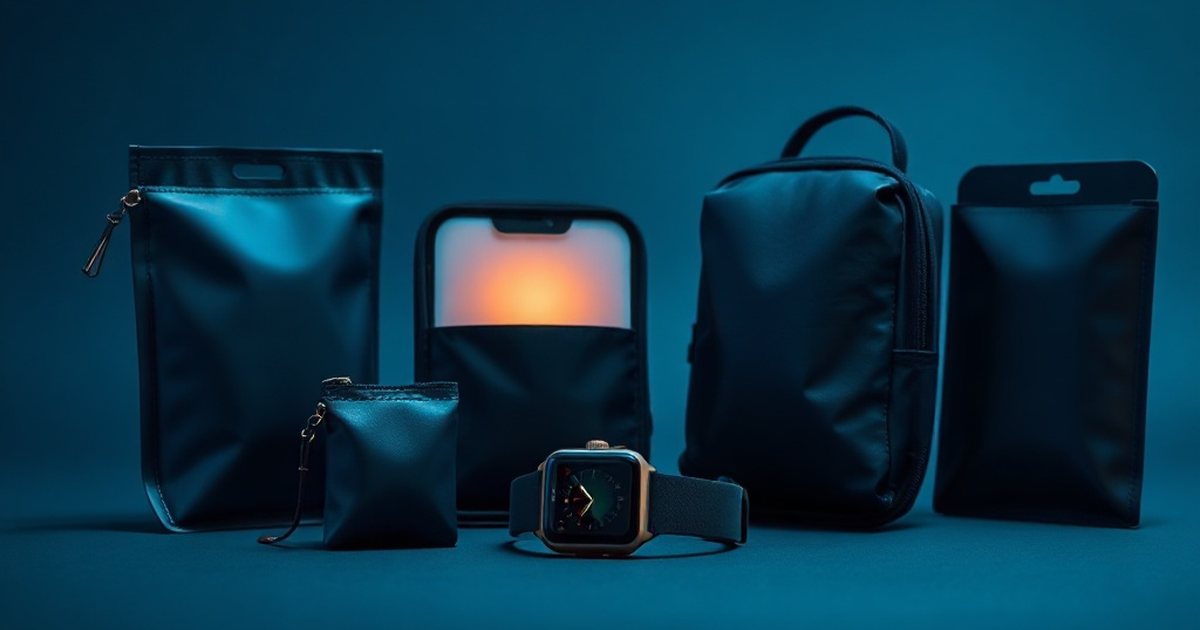
Are EMF-blocking watch bands effective?
Products marketed as EMF-blocking watch bands or stickers have not been independently verified to meaningfully reduce SAR exposure from wearable devices. The watch’s radios transmit from the case, not the band, and blocking RF in one direction can potentially cause the radio to increase power to compensate. Adjusting the device’s own settings (airplane mode, disabling radios) is a more reliable approach.
The Bottom Line
Bluetooth-only trackers emit much less RF energy than smartphones, while cellular smartwatches can reach SAR values in the same range. The Apple Watch Series 9 Cellular at 1.15 W/kg is among the higher figures in this table, and wrist and head SAR tests are not directly comparable, so the table should not be read as a ranking against phones [1]. That said, the exposure pattern is different. A phone goes in your pocket or on a table. A wearable sits against bare skin, often around the clock.
If you are someone who prefers to minimize RF exposure where practical, the good news is that you have real options. Choosing a GPS-only model over cellular, using airplane mode during sleep, selecting a Bluetooth-only tracker, or switching to a ring-style device can all meaningfully reduce your wearable EMF exposure without forcing you to give up the health and fitness insights these devices provide.
The single most effective step is also the simplest: take it off at night. Whether you skip sleep tracking entirely or switch to a low-emission alternative like the Oura Ring in airplane mode, reducing your overnight wear addresses the longest continuous exposure window in your day. From there, you can adjust your daytime settings and device choices based on your own comfort level and priorities.
References
- US Electronic Code of Federal Regulations (FCC) 47 CFR 1.1310 Radiofrequency radiation exposure limits. US Electronic Code of Federal Regulations (FCC) (current). source
- Karipidis K et al. The effect of exposure to radiofrequency fields on cancer risk in the general and working population: A systematic review of human observational studies – Part I: Most researched outcomes. Environment international (2024). PMID 39241333
- US National Cancer Institute Cell Phones and Cancer Risk. US National Cancer Institute (current). source
These statements have not been evaluated by the Food and Drug Administration. This information is not intended to diagnose, treat, cure, or prevent any disease. Content is for informational purposes only and is not medical advice; consult a qualified healthcare provider before starting any supplement. As an Amazon Associate we earn from qualifying purchases.