Your laptop is one of the few electronic devices that combines multiple EMF-emitting systems into a single package, and it sits inches from your body for hours at a time. WiFi antennas broadcast radio frequency signals. The charging circuit and power adapter generate extremely low frequency magnetic fields. Internal components like the processor and hard drive add their own electromagnetic output. Understanding where laptop EMF radiation actually comes from, and what independent testing has found, puts you in a better position to make informed choices about how you use your machine.
Where Laptop EMF Actually Comes From
Unlike a phone, which primarily emits RF radiation from its cellular and WiFi antennas, a laptop produces multiple types of electromagnetic fields simultaneously. Each source has its own frequency range and behavior.
A laptop gives off RF from its radios and magnetic fields from its power
Measured in mG or µT
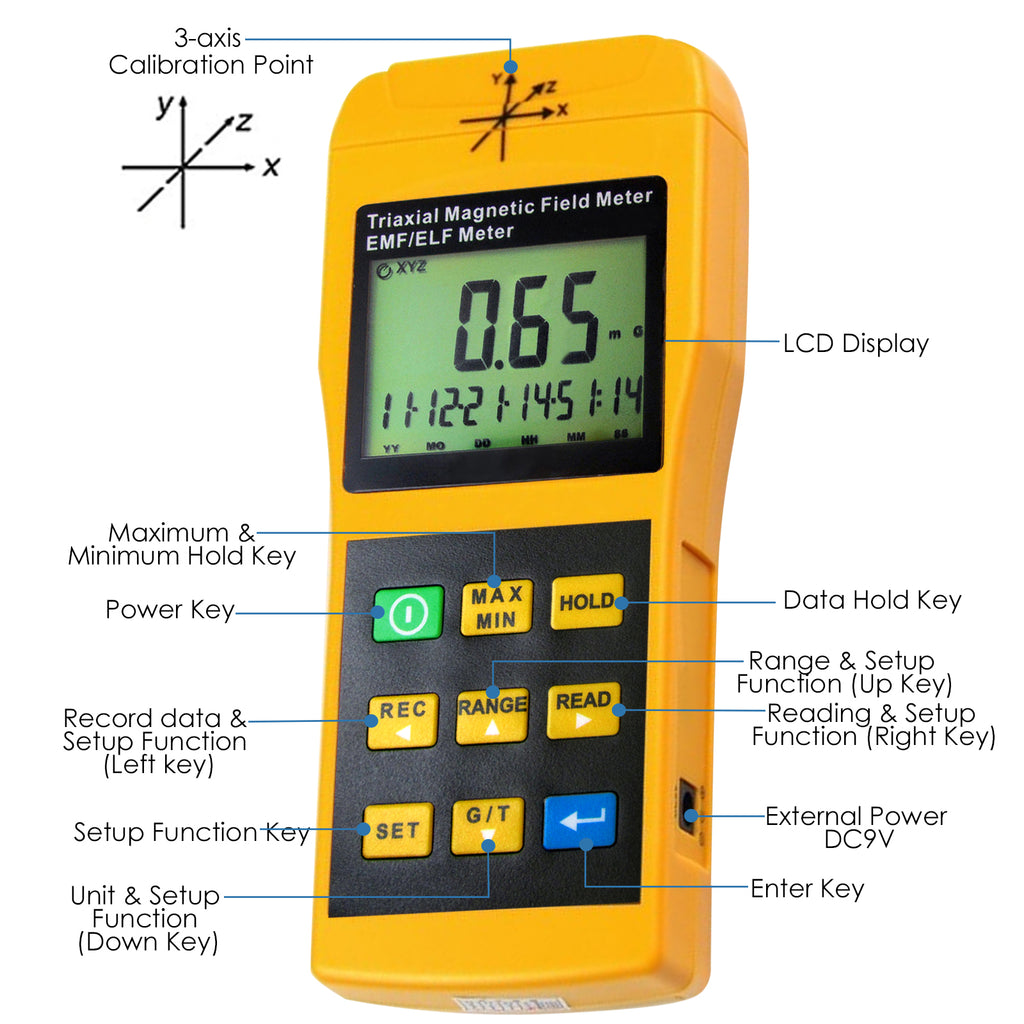
From current in wiring, power lines, motors and appliances. Read it with a gaussmeter or the magnetic mode of a multi-field meter.
Measured in V/m
From voltage on unshielded cords and wiring, even with nothing switched on. Read it with an electric-field mode; grounding changes the reading.
Measured in µW/m² or V/m
From phones, Wi-Fi, Bluetooth, cell towers and smart meters. Read it with an RF meter whose range covers the bands you care about.
Noise on the wiring
High-frequency noise riding on the mains, conducted rather than radiated. A field meter cannot see it; it needs a plug-in line-noise meter.
A shield pad does not address both.
Each field type needs its own sensor; a meter that reads one says nothing about the others.
Chart: frequencyblockers.com: A laptop gives off RF from its radios and magnetic fields from its power
Embed this chart
Free to reuse on your site. Copy the code below; please keep the credit link.
WiFi and Bluetooth Antennas (RF Radiation)
Every modern laptop has WiFi antennas designed to communicate with routers up to 150 feet away. That transmission power creates radio frequency fields that extend outward from the laptop in all directions. The antennas are typically located near the screen hinge or along the top edge of the display bezel. Bluetooth adds a secondary RF source, though at lower power levels than WiFi. When actively transmitting data (streaming video, downloading files, video calls), RF output is higher than when the connection is idle.
The Power Adapter and Charging Circuit (ELF Magnetic Fields)
This is the source most people overlook, and testing consistently shows it may be the most significant one. The AC power adapter converts alternating current from your wall outlet into direct current for the laptop, and that conversion process generates ELF (extremely low frequency) magnetic fields. The charging circuit inside the laptop itself adds further ELF output as it manages battery charging. Laptop adapters can emit ELF magnetic fields that exceed some stricter, technology-specific guidelines such as the TCO computer display standard, though readings are far below the international ICNIRP public limits.

Internal Components: Processor, Hard Drive, and Fans
The processor generates both heat and minor electromagnetic fields during operation. Traditional hard disk drives (HDDs) use magnetic fields to store data and emit low frequency magnetic fields during read/write operations. Solid state drives (SSDs), which are now standard in most laptops, do not produce these magnetic fields since they use flash memory chips instead of spinning platters. Cooling fans contain small electric motors that generate minor magnetic fields, though these are typically modest compared to the power supply circuit.
The Screen and Backlight
The LCD or OLED display and its LED backlight produce some electromagnetic fields, but testing generally shows these are minimal compared to the power supply and WiFi systems. The screen is also positioned farther from the body in normal use (facing outward rather than toward your lap), which further reduces its contribution to personal exposure.

Why “Laptop” Is a Concerning Name
The word “laptop” implies direct body contact, and that is exactly how many people use these devices. Placed directly on the thighs, a laptop sits just inches from the reproductive area, with the bottom panel (where the processor, battery, and internal components are housed) making near-contact with skin or thin clothing.
Distance matters significantly with EMF. The inverse square law of physics means that doubling your distance from an EMF source reduces your exposure by roughly 75%. When a laptop sits directly on your lap, you get zero distance benefit. When it sits on a desk, you may have 12 to 18 inches of separation from the bottom panel, which can dramatically reduce measurable field strength at the body.
Some research has explored potential links between laptop heat and EMF exposure in the lap area and effects on reproductive health. While findings remain debated and more research is needed, the proximity factor alone has led many EMF consultants to recommend using a desk or table as a simple precaution.
On the reproductive question specifically, meta-analyses of human studies are mixed: a 2021 meta-analysis of cross-sectional studies did not support an association between phone use and falling sperm quality overall, and a WHO-commissioned review rated the evidence on phone RF and sperm outcomes very uncertain. Those studies concern phones, not laptops, and a simulation of laptop WiFi antennas found their SAR negligible next to the laptop’s heat [7][8][9].
What EMF Testing Has Found
Independent testing and published research have produced several consistent findings about laptop EMF radiation. These are not fringe claims; they come from peer-reviewed studies and measurements by EMF consultants using calibrated instruments.
Plugged In vs. Battery: A Significant Difference
The most consistent and well-documented finding is that laptops emit substantially higher ELF magnetic fields when plugged into AC power compared to running on battery. Published research measuring 13 different laptop models found average magnetic field values reaching as high as 1.88 microtesla on AC power, while battery-powered readings ranged from 0.11 to 0.31 microtesla, with the highest battery reading being 0.92 microtesla. That represents a roughly 6 to 17 times increase when plugged in, depending on the model.
The power adapter transformer itself can produce readings exceeding 100 milligauss at direct contact, though household appliance measurements show magnetic fields drop drastically with distance [1]. This is why keeping your power adapter at arm’s length on the desk, rather than on your lap or touching your leg, is a practical step.
Overall EMF Levels and Safety Standards
Across tested laptops, ELF magnetic field values typically fall in the 1.8 to 6 microtesla range during AC-powered operation. These readings are within the broad safety limits set by the International Commission on Non-Ionizing Radiation Protection (ICNIRP), which allows up to 200 microtesla for public exposure. However, researchers have noted that these values are considerably higher than the values recommended by two recent guidelines for computer monitors, suggesting that while laptops meet general safety limits, they exceed some technology-specific standards.
WiFi RF Measurements
RF levels from laptop WiFi can reach several volts per meter in close proximity during active transmission. These levels are comparable to what you would experience from WiFi on a smartphone or tablet. The key difference with a laptop is duration and distance: people tend to use laptops for longer continuous sessions and with the device closer to the torso than a phone (which is typically held at arm’s length during screen use).
The Grounding Factor
Testing has also suggested that using a grounded (three-prong) power adapter instead of an ungrounded two-prong adapter can reduce electric field emissions. Many laptop chargers ship with both a two-prong and a three-prong cable option. If your charger includes the full three-prong brick, using it at your desk is a simple way to reduce one component of EMF exposure.

Laptop EMF Shield and Pad Reviews
A category of products has emerged specifically designed to block EMF radiation from the bottom of a laptop from reaching your body. These shield pads sit between the laptop and your lap, using layers of metallic shielding material to deflect or absorb electromagnetic fields. Here is what the leading options offer and where their limitations lie.
DefenderShield DefenderPad
The DefenderPad uses DefenderShield’s proprietary Ultra Armor+ shielding technology and claims to block up to 99% of EMF emissions across the 0 to 110 GHz frequency range, covering 5G, cellular, WiFi, Bluetooth, GPS, RFID, NFC, and ELF battery emissions. It has been independently lab tested for shielding effectiveness.
The Standard DefenderPad is a rigid, heavy-duty pad measuring 15.8 by 11 by 0.25 inches and weighing 2.2 pounds. It includes a silicone thermal barrier on top that blocks laptop heat from reaching your body, with a non-slip surface to keep the laptop stable. The bottom features a food-grade polyurethane surface for comfort on your lap. It fits laptops with screens up to 17 inches.
For users who prioritize portability, DefenderShield also offers the DefenderPad Lite at 14.5 by 9.5 inches and just 0.65 pounds with a vegan leather surface, fitting laptops up to 16 inches. EMF Academy rates the DefenderShield as the best pure laptop radiation shield on the market, with their reviewer noting they use one under their own laptop daily.
SYB (Shield Your Body) Laptop Pad
The SYB Laptop Pad uses triple-layer SaferBody technology, combining a polyester base woven with metallic threads, ferromagnetic steel mesh, and aluminum plates. It blocks up to 99% of EMF radiation and heat, covering both high-frequency RF radiation (up to 20 GHz) and low-frequency ELF emissions. All SYB products are independently tested in FCC-accredited laboratories.
The pad comes in three sizes: Large (12 by 16 inches) for laptops up to 17 inches, Medium (10.6 by 13.75 inches) for laptops up to 14 inches, and Small (9.4 by 6.6 inches) for tablets. It features a vegan leather exterior and weighs slightly over a pound. Reviewers have noted it feels sturdy, travels well, and has held up after years of daily use. EMF Protection Pros verified its shielding effectiveness using a Trifield meter.
SafeSleeve Lap Desk
SafeSleeve takes a slightly different approach with its lap desk design, integrating EMF shielding into a rigid, lightweight lap desk with a built-in storage pouch. FCC-accredited lab testing showed a reduction of over 99% of RF radiation and 92% of ELF radiation. It is available in Small (for 11 to 14 inch devices) and Large (for 15 to 16 inch laptops).
The lap desk format provides structural airflow space between the laptop and your body, which helps with heat management as well. The integrated storage pouch on the bottom adds a layer of padding for lap comfort. Independent reviewers have verified its shielding performance using the GQ EMF-390 meter, which measures RF, magnetic, and electric fields. Some users have noted that the surface can be slightly slippery depending on the laptop model.
Important Limitation of All Shield Pads
Every laptop shield pad shares the same fundamental limitation: they only block EMF radiation traveling downward from the bottom of the laptop toward your lap. WiFi RF radiation still radiates from the sides, top, and front of the device. The antennas are typically near the screen, not the bottom panel.
A shield pad can reduce lap-directed RF exposure, but thin conductive materials do not reliably block low-frequency magnetic fields from the battery and power components in the base, and it does not create a complete EMF-free zone around the laptop [2][3]. Your laptop remains fully functional with WiFi and Bluetooth connected while using any of these products.
Practical Steps to Reduce Laptop EMF Exposure
Beyond shield products, several straightforward habits can reduce your EMF exposure from laptops. These cost nothing and address multiple EMF sources at once.
Use Battery Power When Possible
Since ELF magnetic fields can be 6 to 17 times higher when plugged into AC power, running on battery during lap use is one of the single most effective reduction strategies. If you need to charge, do so while the laptop is on a desk and take it to the couch or bed on battery power.
Use a Desk or Table Instead of Your Lap
Distance is your best friend with EMF. Even 12 inches of separation between the laptop base and your body can reduce exposure dramatically thanks to the inverse square law. A simple desk setup eliminates the lap contact issue entirely.
External Keyboard and Monitor Setup
Using an external keyboard and monitor lets you push the laptop itself two to three feet away while you work. This addresses both the ELF fields from the bottom panel and the RF fields from the WiFi antennas near the screen. It also tends to be more ergonomic for your posture.

Wired Ethernet Instead of WiFi
Connecting via ethernet cable and disabling WiFi eliminates the RF radiation from the laptop’s wireless antennas entirely. Many laptops no longer include an ethernet port, but USB-to-ethernet adapters are inexpensive and widely available. This is particularly practical for a fixed desk setup where you do not need to move around.
Use a Grounded Charger
If your laptop charger includes a three-prong grounded cable option, use it instead of the two-prong travel adapter. Grounding can reduce electric field emissions, and it costs nothing if the cable came with your charger.
Keep the Power Adapter Away From Your Body
The transformer brick in your charger cable produces strong magnetic fields at close range. Position it on the desk or floor, not on your lap or touching your leg. At 8 inches of distance, the magnetic field from the transformer typically drops to background levels.
Frequently Asked Questions
Do laptops emit more EMF radiation than phones?
Laptops emit different types of EMF simultaneously (RF from WiFi plus ELF from the power system), while phones primarily emit RF from cellular and WiFi antennas. The ELF magnetic fields from a plugged-in laptop can be substantial, especially from the charging circuit. Phones produce higher RF during cellular calls, but laptops tend to be used for longer continuous periods in closer body proximity.
Is laptop EMF radiation dangerous?
Laptop EMF levels generally fall within the safety limits set by international guidelines like ICNIRP. However, measured values during AC-powered use are higher than some stricter computer-specific standards. The scientific community continues to study long-term effects of chronic low-level EMF exposure. Reducing unnecessary exposure through simple steps like using a desk is a reasonable precaution.
Does a laptop emit less EMF on battery power?
Yes, this is one of the most consistently documented findings in laptop EMF testing. ELF magnetic field readings can be 6 to 17 times lower on battery compared to AC power, depending on the laptop model. The reduction comes from eliminating the power conversion process that generates ELF fields in the charger and charging circuit.
Do laptop EMF shield pads actually work?
Leading shield pads from DefenderShield, SYB, and SafeSleeve report lab results of up to 92 to 99% blocking of EMF radiation passing through them, but shielding varies with frequency, test setup and seams, so treat these as best-case figures [4][5][6]. The key limitation is that they only shield in one direction (downward, between the laptop and your lap). WiFi RF still radiates from the sides and top of the device.
Can a regular pillow or book block laptop EMF?
No. Testing with EMF meters shows virtually no reduction in EMF when using pillows, blankets, books, or standard laptop cases as barriers. Only materials specifically formulated with metallic shielding layers (like those in dedicated EMF pads) provide measurable EMF reduction. A pillow does add distance, which helps with heat, but it does not block electromagnetic fields.
Is WiFi radiation from a laptop the same as from a router?
Both use the same WiFi frequencies (2.4 GHz and 5 GHz bands), but routers typically transmit at higher power levels since they are designed to cover an entire home. The difference with a laptop is proximity. Your router may be 15 feet away in another room, while your laptop WiFi antenna sits 12 to 18 inches from your body, sometimes closer.
Does turning off WiFi on a laptop eliminate all EMF?
Turning off WiFi and Bluetooth eliminates the RF radiation from those antennas, but the laptop still produces ELF magnetic fields from its electrical components and power system. If the laptop is plugged into AC power, the charging circuit and power adapter continue generating ELF fields regardless of wireless settings. To minimize total EMF output, combine disabling WiFi with running on battery power.
What is the best single step to reduce laptop EMF exposure?
Using your laptop on a desk or table instead of your lap. This single change adds distance between you and every EMF source in the device simultaneously. The inverse square law means even 12 inches of separation can reduce measurable exposure significantly. It also eliminates the direct body contact that makes lap use a concern in the first place.
The Bottom Line
Laptop EMF radiation is real, measurable, and comes from multiple sources within the same device. The charging circuit and AC power adapter produce notably higher ELF magnetic fields when plugged in compared to battery operation. WiFi antennas generate RF fields comparable to other wireless devices but operate in close proximity to the body during typical use.
Shield pads from DefenderShield, SYB, and SafeSleeve report lab-tested shielding of bottom-facing EMF, and they also block heat [4][5]. They are worth considering if you regularly use a laptop on your lap. But the most effective approach combines a shield pad with behavioral changes: use a desk when possible, run on battery during lap sessions, connect via ethernet when practical, and keep the power adapter at a distance. None of these steps require expensive equipment, and together they address all the major EMF sources a laptop produces.
References
- Kenji Tanaka et al. Quantification of Low Frequency Magnetic Fields Generated by Household Appliances. IEEJ Transactions on Fundamentals and Materials (2009). doi:10.1541/ieejfms.129.627
- Satpute N et al. Manufacturing of Pure Iron by Cold Rolling and Investigation for Application in Magnetic Flux Shielding. Materials (Basel, Switzerland) (2022). PMID 35407962
- M. Zucca et al. Open Screens for Local Magnetic Shielding at Low Frequencies. IEEE Transactions on Magnetics (2014). doi:10.1109/tmag.2014.2330002
- Pušić T et al. Electromagnetic Shielding Properties of Knitted Fabric Made from Polyamide Threads Coated with Silver. Materials (Basel, Switzerland) (2021). PMID 33800263
- Ming Li Jiao et al. Electromagnetic Interference Shielding Properties of Silver-Plated Polyester Fabric. Applied Mechanics and Materials (2012). doi:10.4028/www.scientific.net/amm.239-240.310
- Andrew C. Marvin et al. A Method for the Measurement of Shielding Effectiveness of Planar Samples Requiring No Sample Edge Preparation or Contact. IEEE Transactions on Electromagnetic Compatibility (2009). doi:10.1109/temc.2009.2015147
- Yu G et al. Current progress on the effect of mobile phone radiation on sperm quality: An updated systematic review and meta-analysis of human and animal studies. Environmental pollution (Barking, Essex : 1987) (2021). PMID 33862271
- Pw Kenny R et al. The effects of radiofrequency exposure on male fertility: A systematic review of human observational studies with dose-response meta-analysis. Environment international (2024). PMID 38880061
- Safari M et al. Thermal mapping on male genital and skin tissues of laptop thermal sources and electromagnetic interaction. Bioelectromagnetics (2017). PMID 28799651
These statements have not been evaluated by the Food and Drug Administration. This information is not intended to diagnose, treat, cure, or prevent any disease. Content is for informational purposes only and is not medical advice; consult a qualified healthcare provider before starting any supplement. As an Amazon Associate we earn from qualifying purchases.