

EMF Tip #43: Remove All Electronics From Your Bedroom
The average bedroom contains a phone, tablet, TV, smart speaker, clock radio, and charging cables—each generating electric fields, magnetic fields, or…

The average bedroom contains a phone, tablet, TV, smart speaker, clock radio, and charging cables—each generating electric fields, magnetic fields, or…

Laptops in sleep mode still emit some EMF—fans occasionally spin, WiFi stays connected, background processes run. It’s reduced but not zero….
Many laptop chargers use two-prong plugs with no grounding. A three-prong grounded cord drains stray voltage away from the chassis and your body.

Your laptop’s WiFi antenna constantly broadcasts RF radiation—even between data transfers, it’s pulsing to maintain connection with the router….

Your router sits on the desk next to you, or in the living room where you spend hours each day. You’re bathing in RF during all your waking hours….
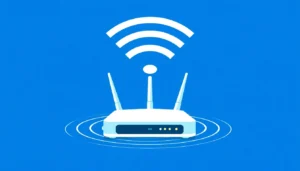
Most routers use two-prong power plugs with no grounding path. Adding a grounded adapter helps drain stray voltage from the router chassis.

You need mobile internet access but want to minimize exposure. A USB cable tethered from phone to laptop gives you data without a wireless hotspot signal.
You want to ditch your cordless phone but still want the convenience of a home phone line….

You need WiFi for some devices but want to reduce exposure. Turning down power isn’t enough for your situation….

Dual-band routers emit two separate frequencies, 2.4GHz and 5GHz. Turning off the 5GHz band cuts one RF source with minimal speed loss.
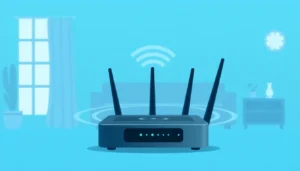
Your router broadcasts RF radiation continuously—even at 3 AM when everyone’s asleep. That’s 8 hours of unnecessary exposure every night, right when y…

Manually toggling airplane mode, WiFi, Bluetooth, and cellular every time is tedious—so people don’t do it consistently….