

EMF Tip #45: Use Only Battery-Powered Devices in Bedroom
A battery-powered clock or lamp has no mains cord, so no cord field in the bedroom. It is often the simplest swap, since the cord is the source.
100 practical tips to reduce EMF radiation exposure in your home and daily life.
A battery-powered clock or lamp has no mains cord, so no cord field in the bedroom. It is often the simplest swap, since the cord is the source.

A breaker kill switch removes voltage from the bedroom wiring, which is what produces an electric field when nothing is running. This covers how it works.

Taking electronics out of the bedroom thins out the sources near the bed, where you stay put the longest. Every item removed is one less thing within reach.
Wired peripherals take small transmitters off the desk, leaving the computer and router as the only nearby sources. Keyboard, mouse and webcam are usual swaps.
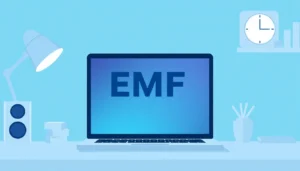
Sleep mode is only a pause, since WiFi stays connected and background tasks run. A full shutdown is the one state where the laptop stops being a source.

An external monitor moves the display to arm’s length, and the laptop goes off to the side. That puts distance between your face and its internal components.

Distance is the cheapest variable to change, since a little extra space between you and the display costs nothing. It works for every kind of screen.
On battery, a laptop’s charger and cord leave the house wiring’s electric field. Unplugging makes it a self-contained device.
A grounded three-prong cord gives the laptop’s chassis a path to ground while charging. This concerns the electric field around the machine, not its radios.
Plugging in Ethernet does not turn the wireless radios off by itself. Switching off WiFi and Bluetooth is a second step that is easy to forget.

A laptop on WiFi keeps its radio sending short bursts even while you only read. Ethernet lets that radio switch off while the connection keeps working.

Swapping to a wired mouse removes a small radio that sits under your hand. Measured fields from such devices are low, so this is a minor, inexpensive change.