Most people mean to switch Wi-Fi off at night and forget, or give up after a week. A plug-in timer on the router’s power turns that intention into a schedule that runs by itself.
Watch our quick tip on YouTube Shorts
Get our complete guide with room-by-room strategies and product recommendations.
Why a plain timer beats good intentions
What helps here is the time the router is on, not what it is doing. A habit that depends on remembering is fragile. A timer cuts power at a set time every night and restores it in the morning with no input from anyone.
A plain timer makes switching the router off a habit you do not have to keep
Remove or switch it off
The most reliable fix: wire it, schedule it off, or choose a model without the radio.
Move it away
Fields from a device fall off quickly with distance, so the nightstand beats the pillow.
Block the path
Only for what you cannot remove or move; it must cover the path fully to work.
Measure before and after
Use a meter that reads the field type the change targets, so you know it worked.
Automate the fix so it actually happens.
The usual order of fixes: source first, shielding last.
Chart: frequencyblockers.com: A plain timer makes switching the router off a habit you do not have to keep
Embed this chart
Free to reuse on your site. Copy the code below; please keep the credit link.
A mechanical timer uses physical dials and gears, with no electronics or programming, and a plain programmable outlet timer does the same job on a schedule you set. Reducing exposure time is one of the three core principles of radiation protection, used by professionals who work with radioactive materials. That is ionizing radiation; the non-ionizing radiofrequency energy that phones emit is too low to damage DNA, so this borrows a rule from a different hazard rather than showing that overnight Wi-Fi harms health [1].
Either a mechanical timer or a plain programmable outlet timer works, because neither adds a transmitter to the room. A smart plug controlled by an app is different: it contains a radio of its own, so it is not the right choice here.
Setting it up
- Plug the timer into the wall outlet and the router into the timer. If the modem is a separate box, put both on one power strip behind the timer.
- Set the dial to the right time of day first. Then set the off time for bedtime and the on time a little before you wake, since the router needs a minute or two to restart.
- Make sure the timer’s load rating covers the router’s power draw. A router needs far less than most timers handle, but check the label.
- Check what else relies on the router overnight, such as security cameras, a baby monitor, an internet phone line or smart-home devices, and leave the router on if any of them must stay connected.
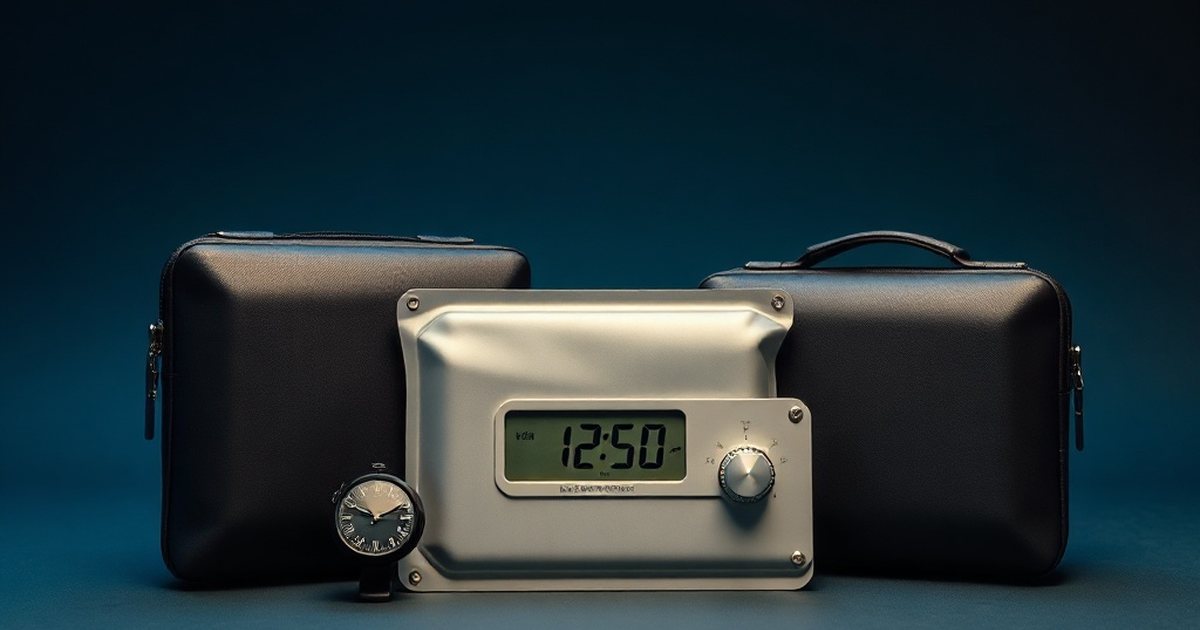
After a power cut, a mechanical timer’s dial runs behind and a programmable timer may need its clock reset. If the router starts coming on at odd hours, reset the time.
How to confirm it worked
An RF meter next to the bed shows it. Take a reading late in the evening with the router on, then take another after the timer has cut power. The router’s contribution should disappear, leaving whatever the neighbors’ networks and other devices produce.
Check the morning too. If the timer restores power before you need the connection, you will not notice it running at all, and that is the intended result.
Programmable Outlet Timer
An outlet timer that switches the router off and on at set times. A plain mechanical dial does the same job if you prefer no settings at all.
What this does not do
A timer only changes the hours the router is on. It does nothing to the level while it is running, so it works best with sensible placement. It also cannot stop a neighbor’s network or a phone from transmitting.
Research note: A well-controlled double-blind study measured alpha EEG activity and found it unchanged at either low or high exposure compared with sham [5].

The IARC rating of radiofrequency fields rested on limited evidence about brain cancer risk. A later WHO-commissioned meta-analysis found that ever or regular mobile phone use was not associated with glioma risk (pooled relative risk 1.01, confidence interval 0.89-1.13), and the US National Cancer Institute says the evidence to date suggests cell phone use does not cause brain or other kinds of cancer in humans [3][4][1].
Ready for More EMF Protection Tips?
Our complete guide includes 100 actionable strategies for every room in your home, plus product recommendations from our curated collection.
Frequently Asked Questions
Will using a mechanical timer on my router actually reduce my EMF exposure?
Yes, using a mechanical timer to automatically turn off your router during sleeping hours cuts the router output during those hours [2]. This approach follows the TIME principle of EMF protection, which focuses on reducing exposure duration rather than relying on manual habits that are difficult to maintain consistently.
How do I set up a mechanical timer for my router?
Simply plug your router into a mechanical outlet timer, then set the timer to turn off during your desired hours, typically at night. Most mechanical timers have easy-to-use dial settings that allow you to program on and off cycles without requiring batteries or WiFi connectivity.
Can I use a digital smart timer instead of a mechanical timer for my router?
While digital smart timers can work, a mechanical timer is preferable because it doesn’t emit its own electromagnetic fields and doesn’t require WiFi or Bluetooth connectivity. This ensures you’re not replacing one source of EMF exposure with another while automating your router shutdown.

What times should I schedule my router to turn off each day?
A common approach is to set your mechanical timer to turn off your router during nighttime hours, typically from when you go to bed until morning, because it is the longest stretch when nobody is using the Wi-Fi. A one-year Swiss cohort found that neither phone use nor modelled environmental RF exposure was associated with sleep disturbance or daytime sleepiness, so treat this as a precaution rather than a proven sleep fix [2]. You can adjust these times based on your family’s schedule, so pick the window you can keep up every night.
References
- US National Cancer Institute Cell Phones and Cancer Risk. US National Cancer Institute (current). source
- Evelyn Mohler et al. Exposure to Radiofrequency Electromagnetic Fields and Sleep Quality: A Prospective Cohort Study. PLoS ONE (2012). PMID 22624036
- Mireille B. Toledano et al. Cohort profile: UK COSMOS, a UK cohort for study of environment and health. International Journal of Epidemiology (2015). PMID 26534947
- Karipidis K et al. The effect of exposure to radiofrequency fields on cancer risk in the general and working population: A systematic review of human observational studies – Part I: Most researched outcomes. Environment international (2024). PMID 39241333
- Sarah Loughran et al. Radiofrequency Electromagnetic Field Exposure and the Resting EEG: Exploring the Thermal Mechanism Hypothesis. International Journal of Environmental Research and Public Health (2019). PMID 31035391
These statements have not been evaluated by the Food and Drug Administration. This information is not intended to diagnose, treat, cure, or prevent any disease. Content is for informational purposes only and is not medical advice; consult a qualified healthcare provider before starting any supplement. As an Amazon Associate we earn from qualifying purchases.